Full Product Description:
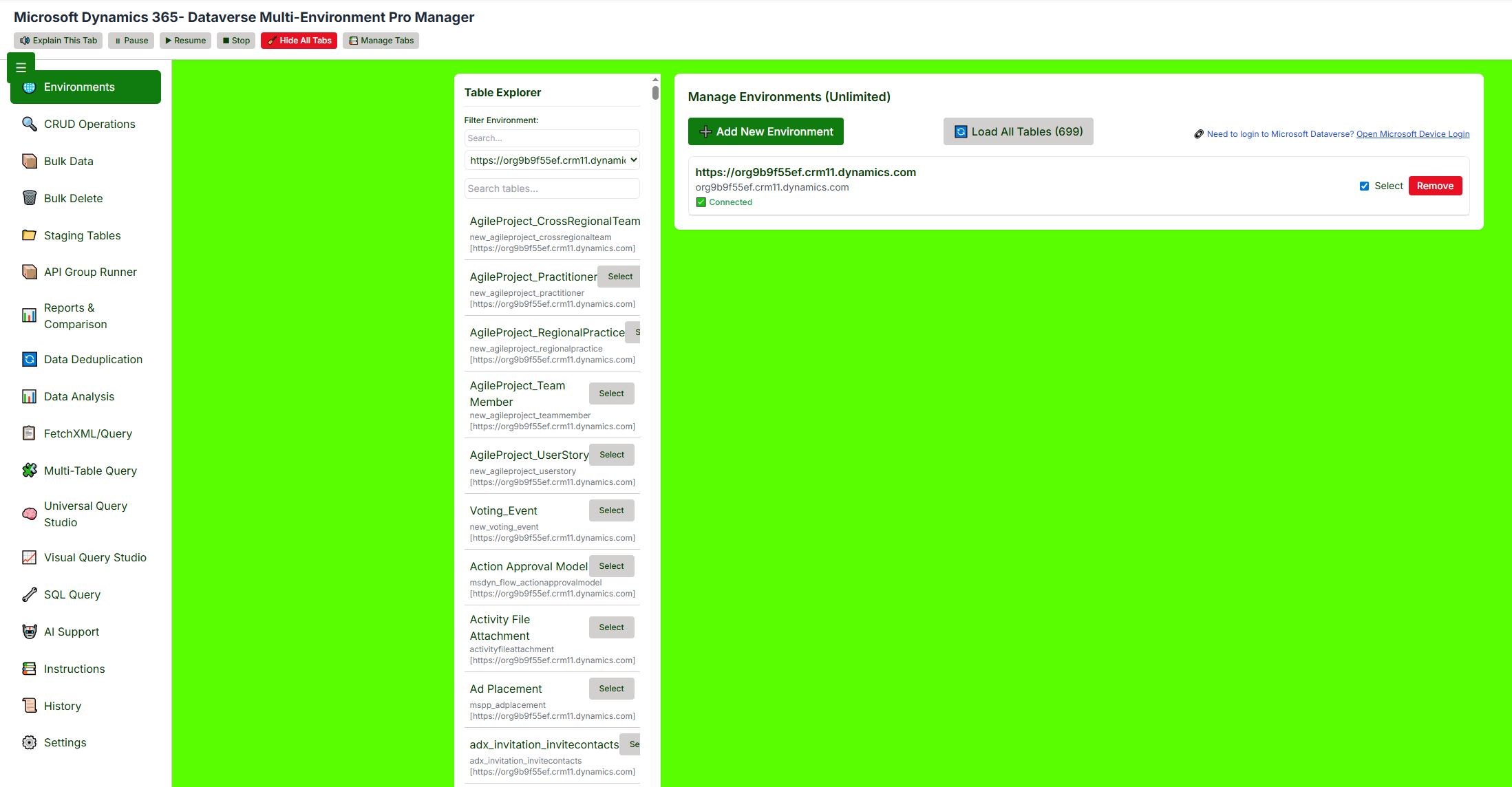
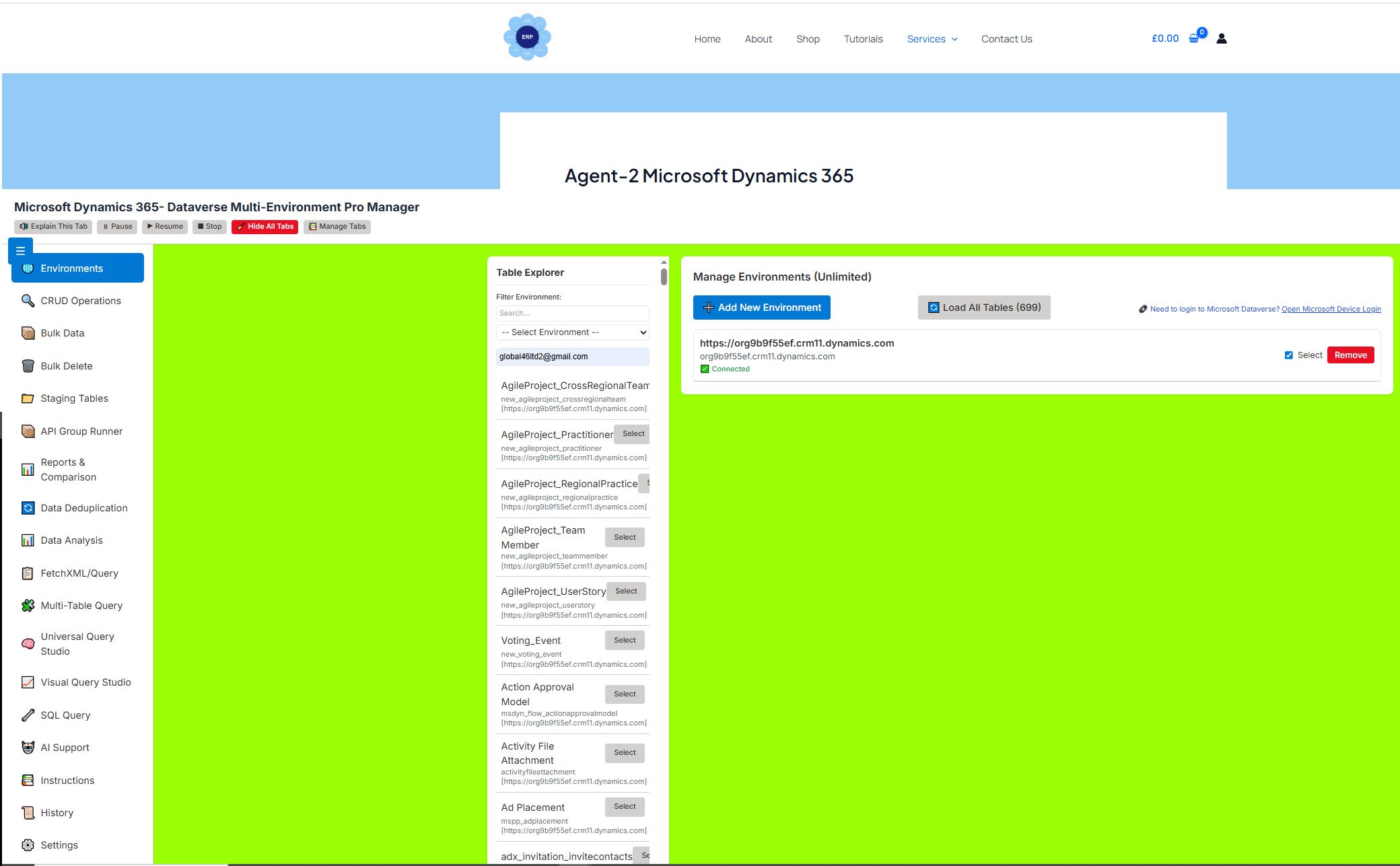
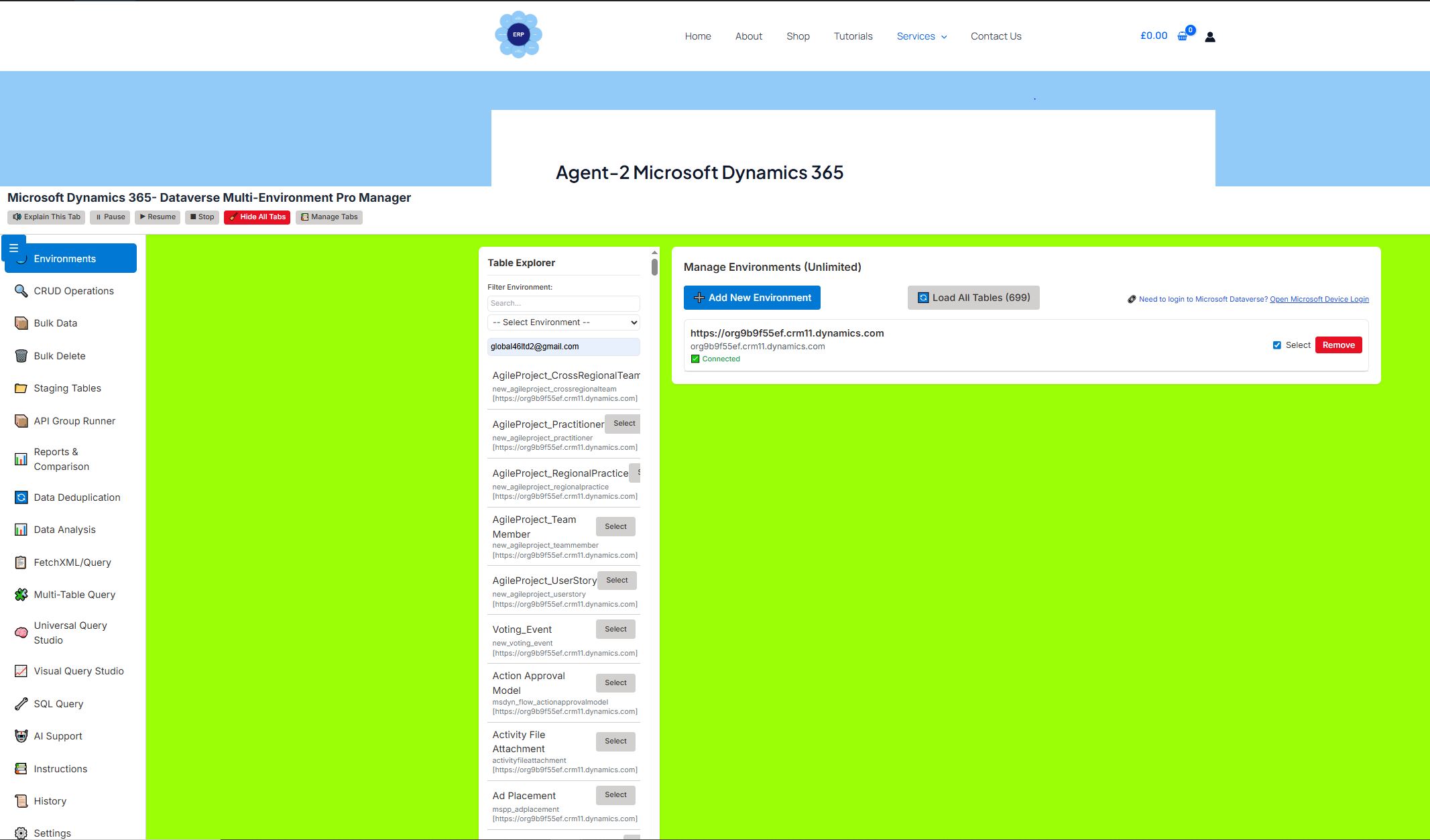
🌐 Environments Tab
Purpose: Central hub for managing all Dataverse environments.
Features:
-
Add unlimited Dataverse environments (DEV, UAT, PROD, etc.)
-
Authenticate via Microsoft Device Login
-
Toggle environment selection for batch operations
-
Load tables from selected environments with scope filtering:
-
Custom tables only (default)
-
System tables only
-
All tables (system + custom)
-
-
View connection status and remove environments
-
Table Explorer sidebar shows all loaded tables with search, filtering, and column metadata
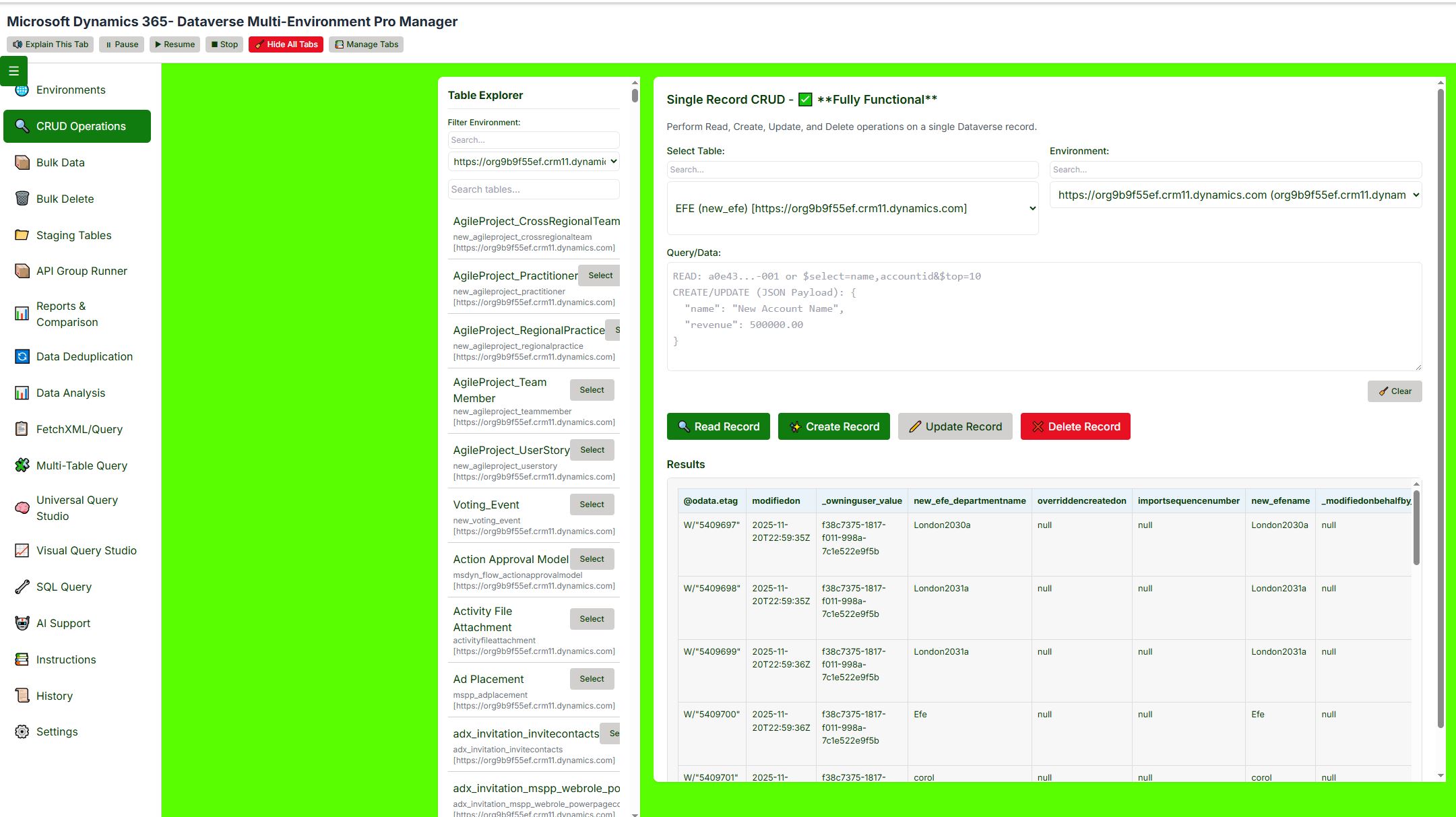
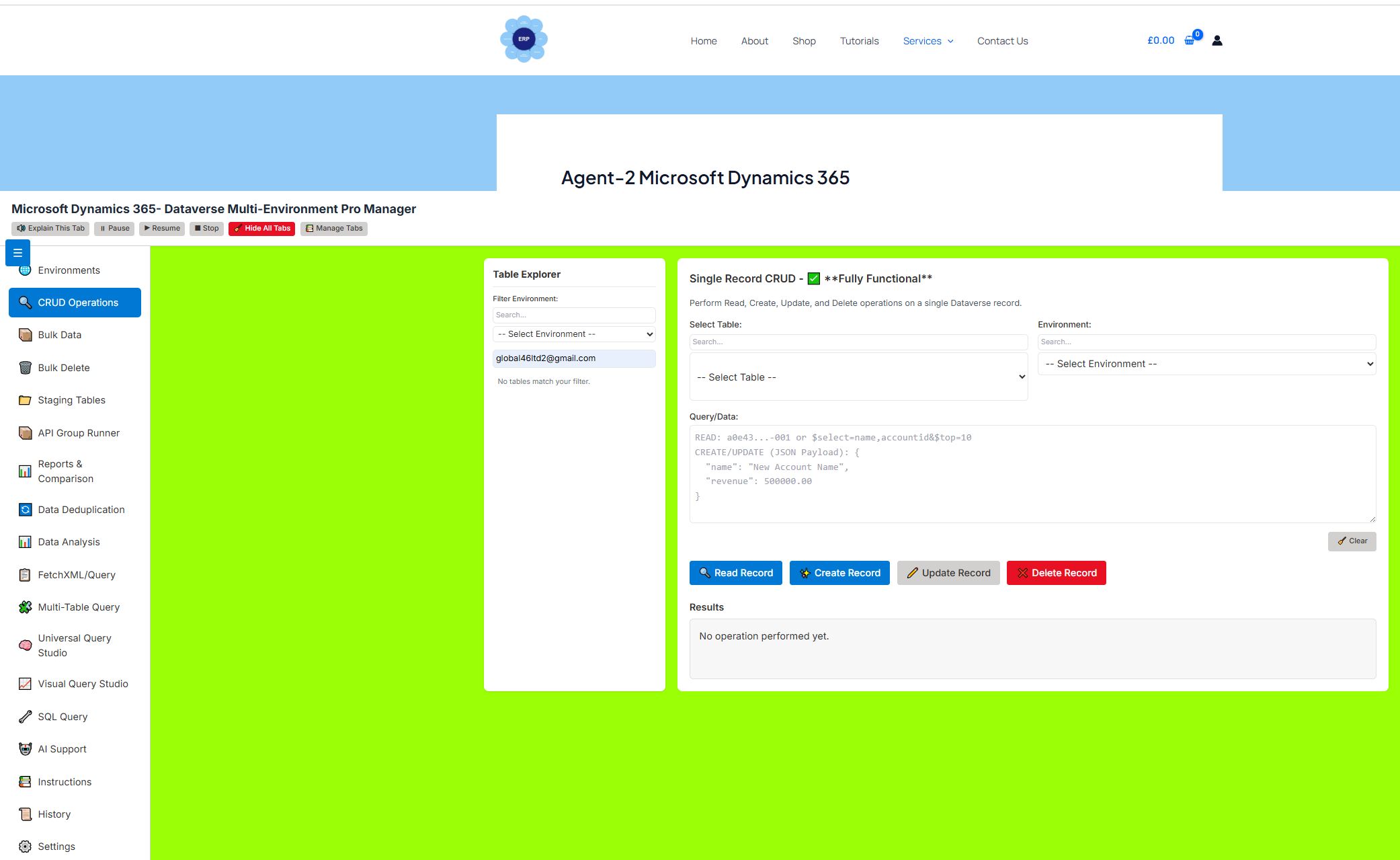
🔍 CRUD Operations Tab
Purpose: Perform Create, Read, Update, Delete operations on single records.
Features:
-
Select environment and table from dropdowns
-
Input:
-
Record ID (for READ/DELETE)
-
OData query (for READ with filters)
-
JSON payload (for CREATE/UPDATE)
-
-
Execute operations with real-time feedback
-
Results displayed in formatted JSON with syntax highlighting
-
Clear button to reset input
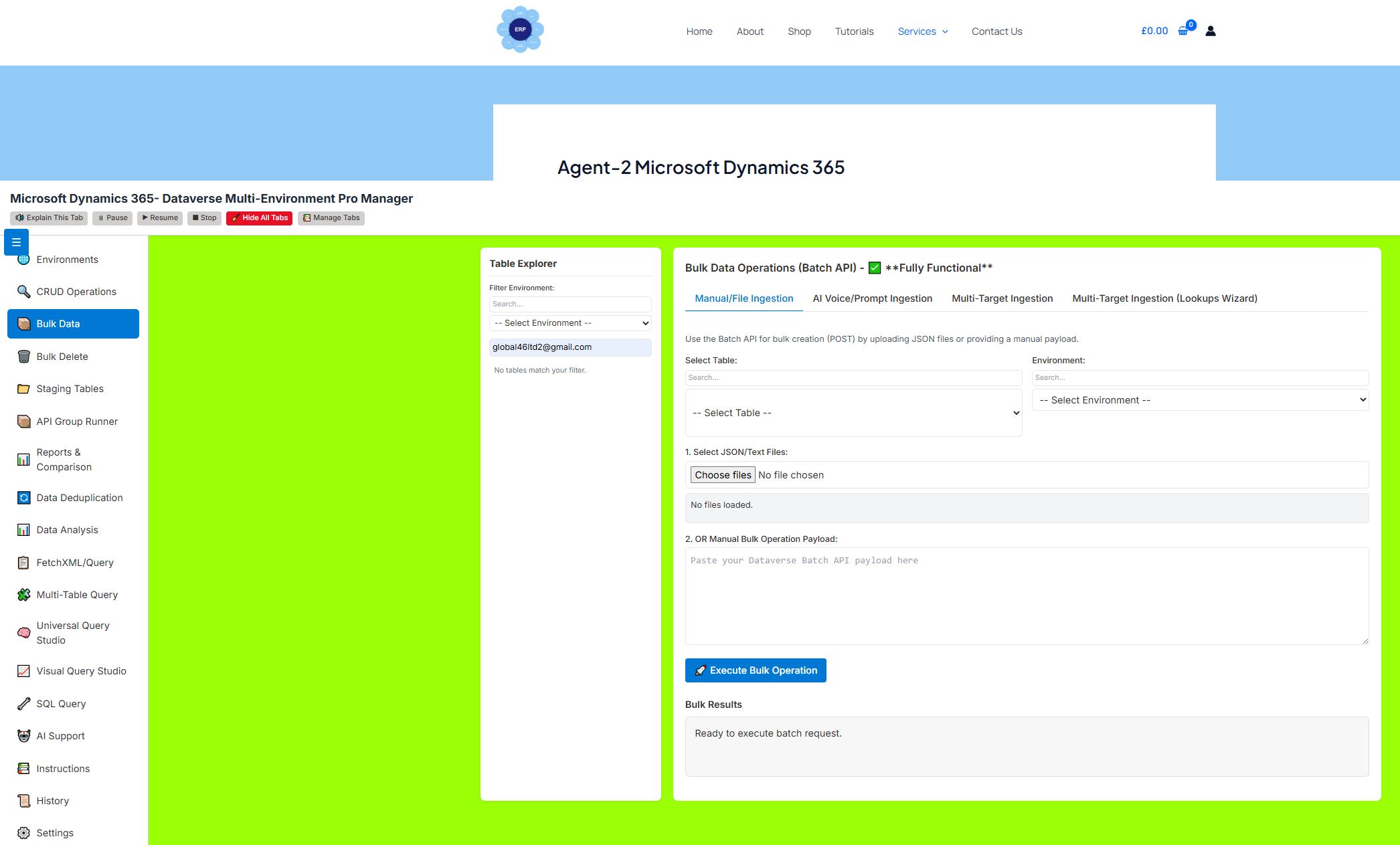
📦 Bulk Data Tab
Purpose: Bulk ingestion and multi-target data loading via Dataverse Batch API.
Sub-tabs:
1. Manual/File Ingestion
-
Upload JSON, CSV, Excel, or TXT files
-
Paste JSON array directly
-
Process in batches of 100 records
-
Real-time progress and error logging
2. AI Voice/Prompt Ingestion
-
Describe data in natural language
-
AI generates JSON payload
-
Execute AI-generated ingestion directly
3. Multi-Target Ingestion
-
Configure multiple ingestion groups
-
Each group: environment + table + file/JSON
-
Run all groups sequentially with summary reports
4. Multi-Target Ingestion (Lookups Wizard)
-
Map lookup columns (e.g., owner, contact, account)
-
Automatically resolve
@odata.bindreferences -
Ideal for complex relational data imports
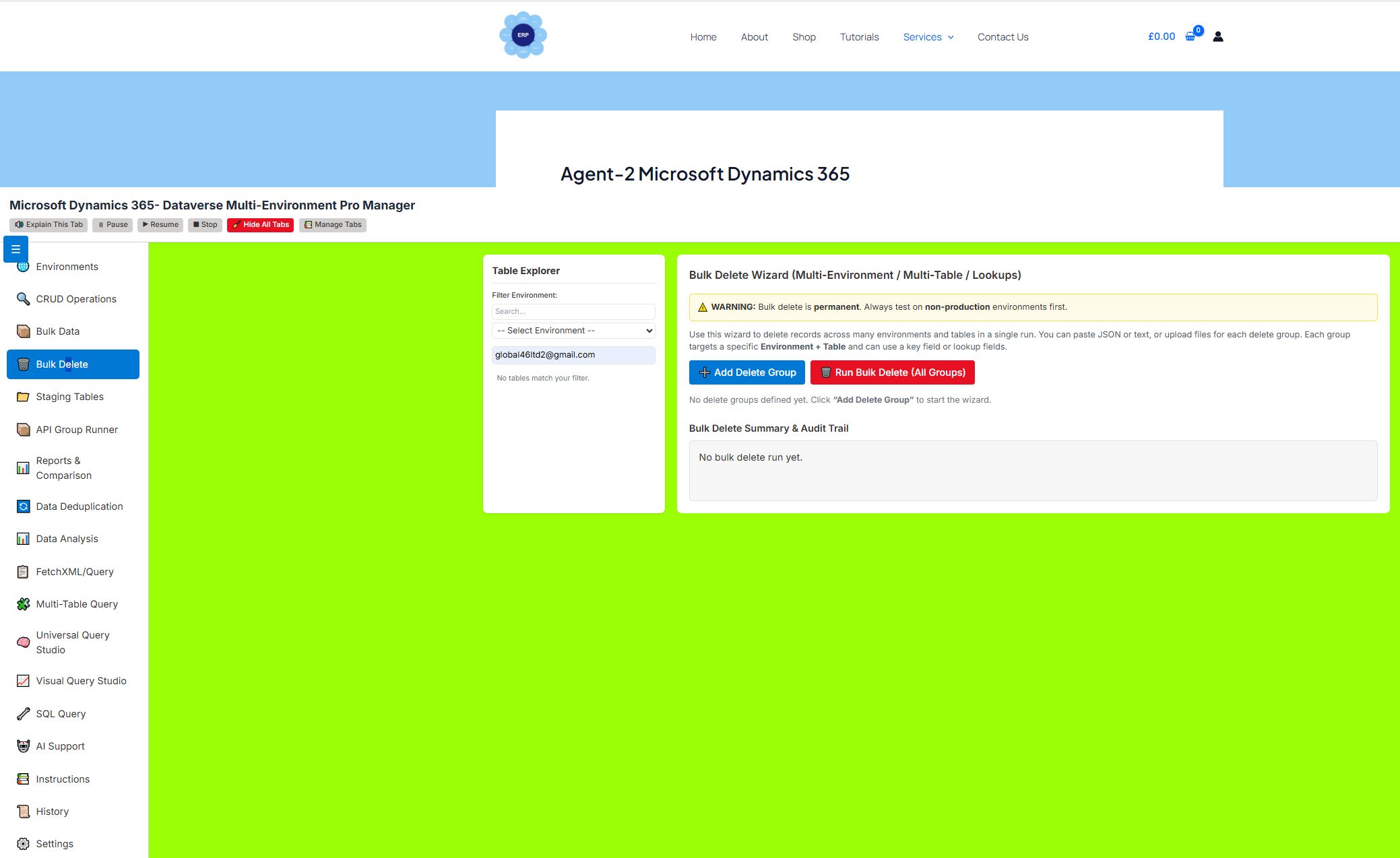
🗑️ Bulk Delete Tab
Purpose: Safe, wizard-driven bulk deletion across multiple environments and tables.
Features:
-
Create Delete Groups (environment + table + key field)
-
Upload files or paste JSON/IDs for deletion
-
Option to delete all records in a table (non-production only)
-
Audit trail with summary and error logs
-
Warning prompts to prevent accidental mass deletion
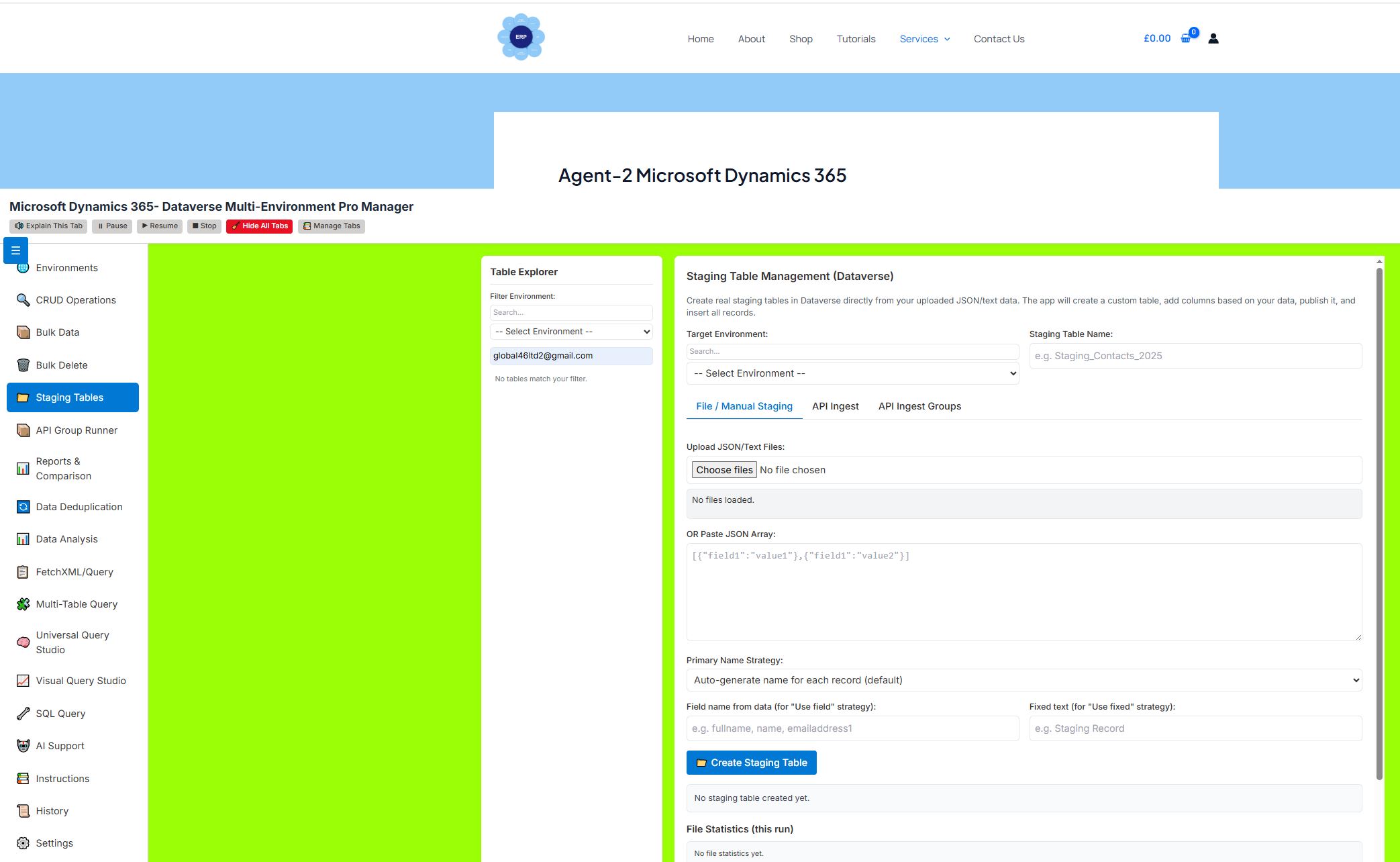
📁 Staging Tables Tab
Purpose: Create and manage Dataverse staging tables from external data.
Sub-tabs:
1. File / Manual Staging
-
Upload files or paste JSON to create staging tables
-
Auto-split wide tables exceeding Dataverse column limits
-
Set primary naming strategy (auto, field-based, fixed)
-
View file stats, batch progress, and history
2. Multi-File → Separate Tables
-
Drag & drop multiple files
-
Each file becomes its own staging table
-
Auto-generated safe table names
3. Duplicate → Staging
-
Copy tables between environments
-
Options for schema mode (exact copy or auto-generated)
-
Lookup handling: GUID, TEXT, or BOTH
4. Query → Staging
-
Run OData/FetchXML queries and save results to staging tables
-
Optional scheduling for future runs
5. API Ingest → Staging
-
Connect to external JSON APIs
-
Auto-pagination support (
@odata.nextLink) -
Save API configurations for reuse
-
Create staging tables from API data
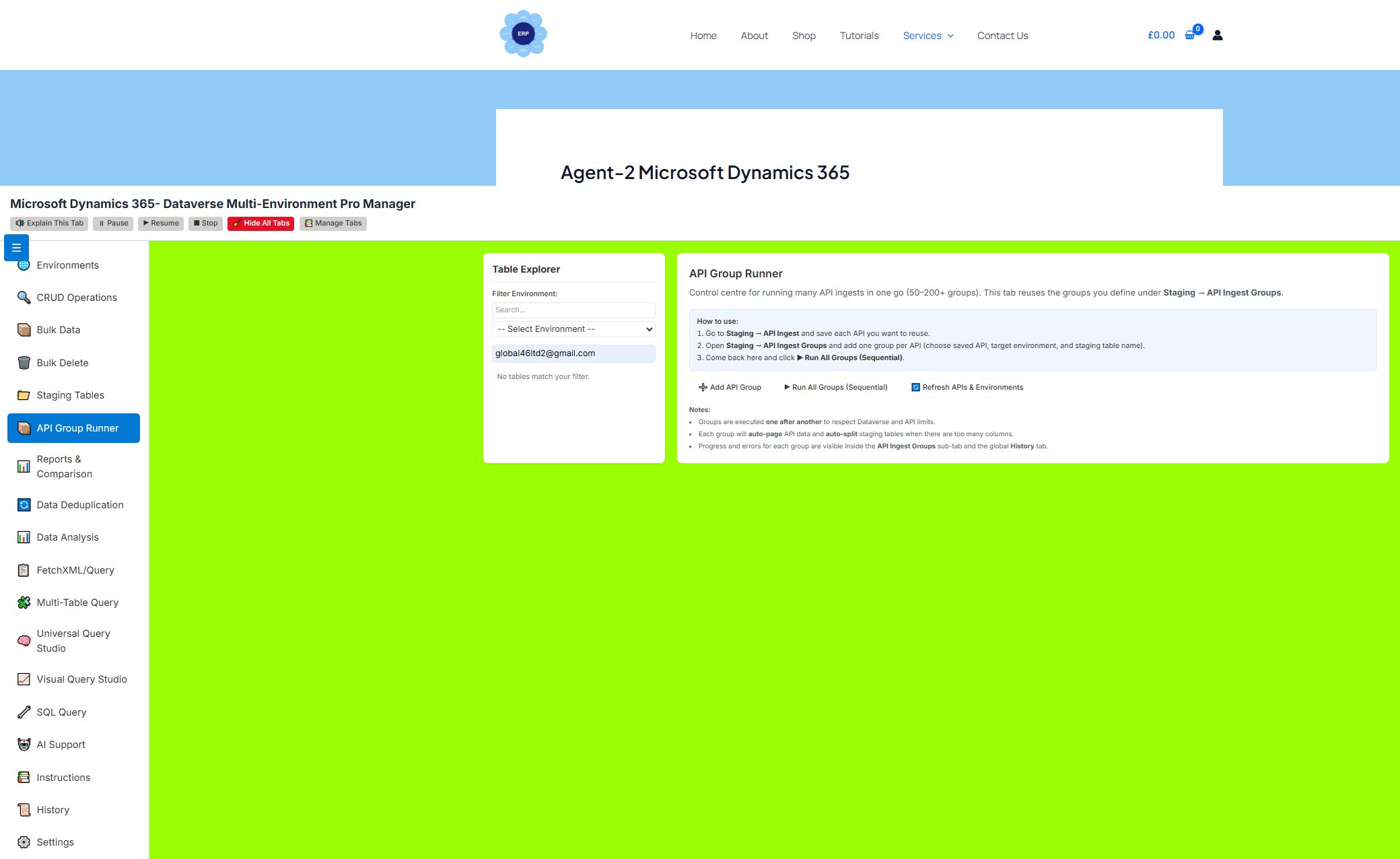
6. API Ingest Groups
-
Run 50–200+ API→Staging operations together
-
Each group: saved API + environment + staging table
-
Sequential execution with full logging
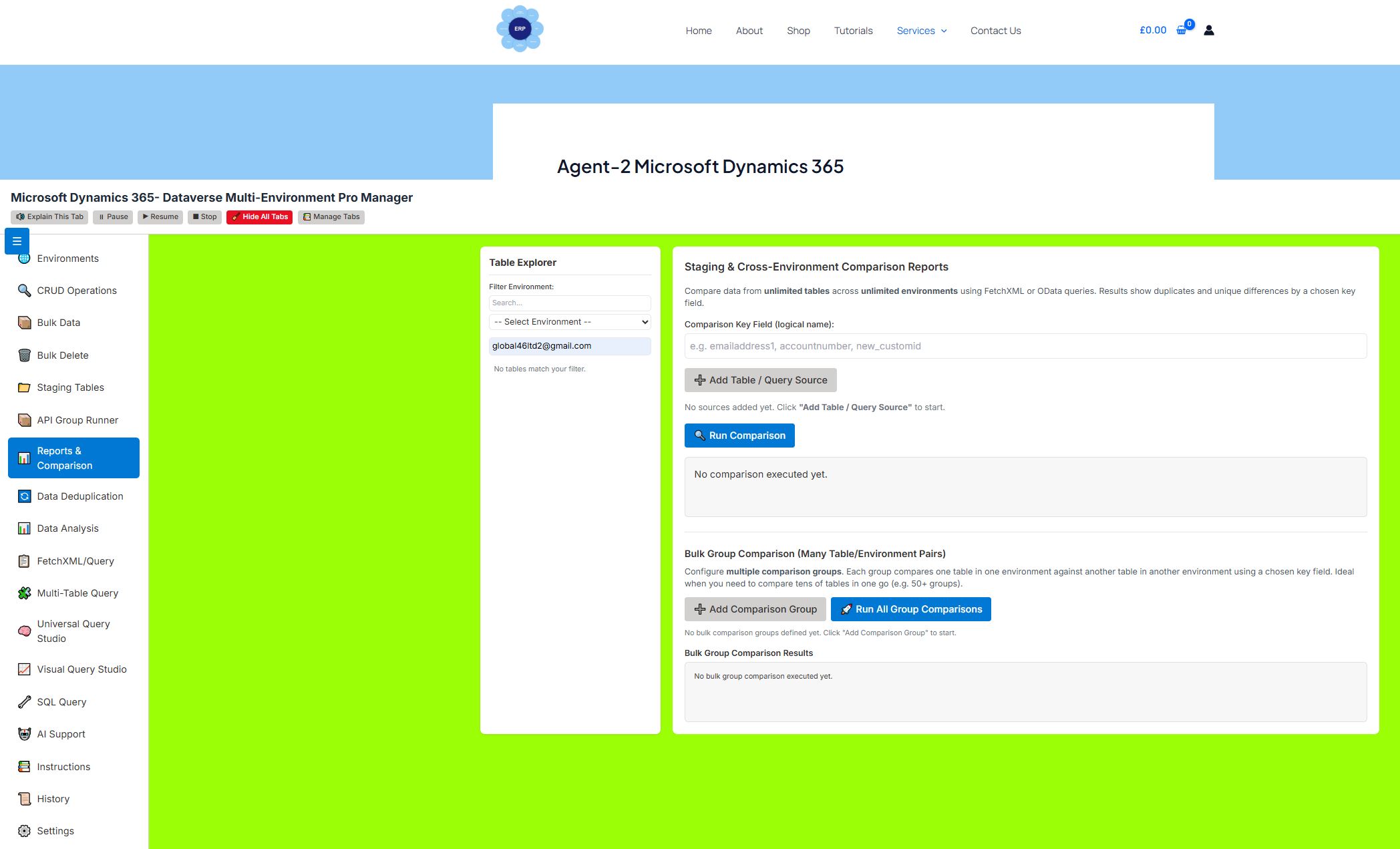
📊 Reports & Comparison Tab
Purpose: Compare data across environments and tables.
Features:
-
Standard Comparison: Compare two tables using a key field
-
Bulk Group Comparison: Run many comparison pairs at once
-
Detect duplicates and unique records
-
Generate statistics and difference reports
-
Visualize comparison results in tables
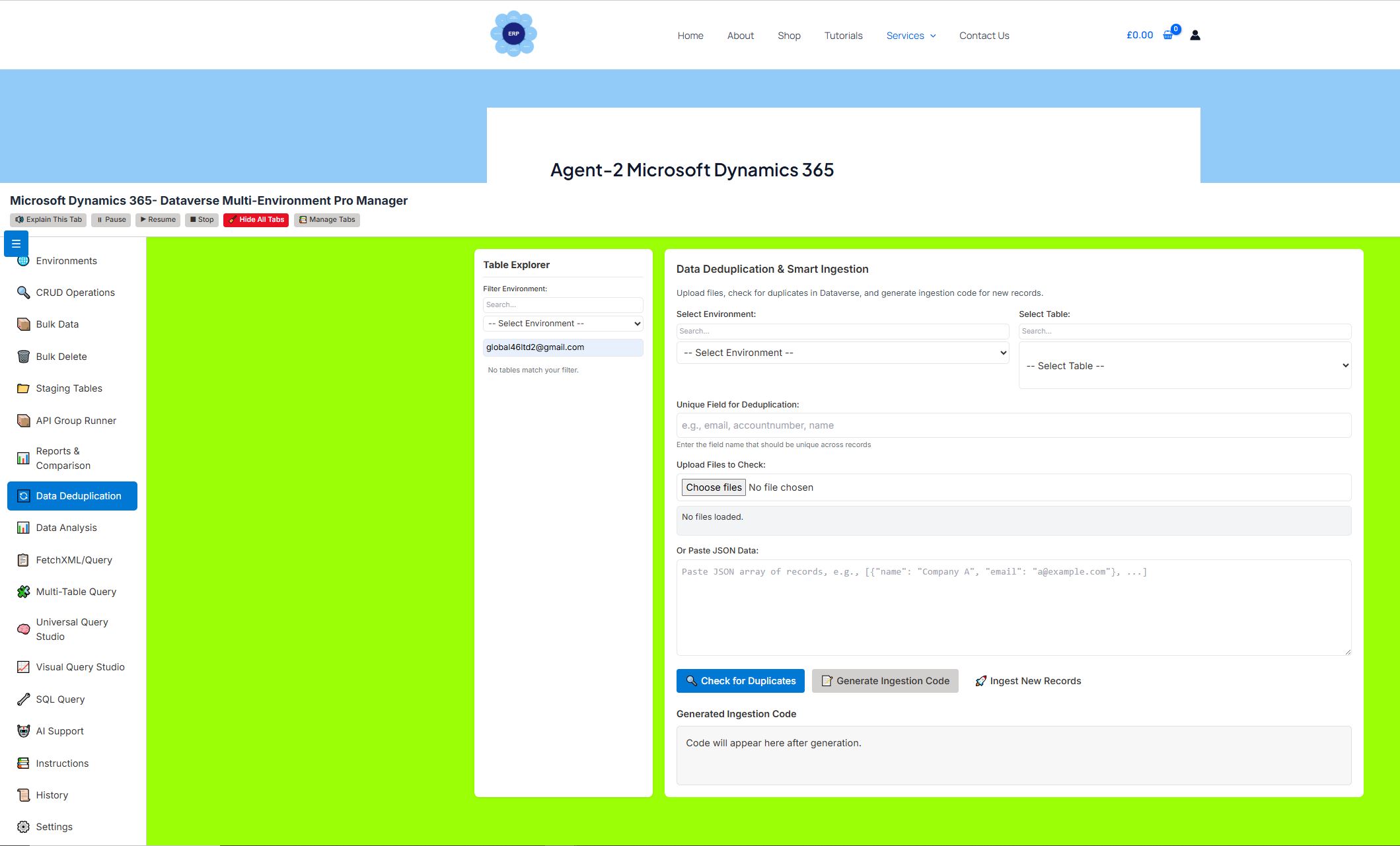
🔄 Data Deduplication Tab
Purpose: Identify duplicates before ingestion.
Features:
-
Upload files or paste JSON data
-
Check against existing Dataverse tables using a unique field
-
Split results into Duplicates and New Records
-
Generate ingestion code for new records
-
Execute ingestion directly from the tool
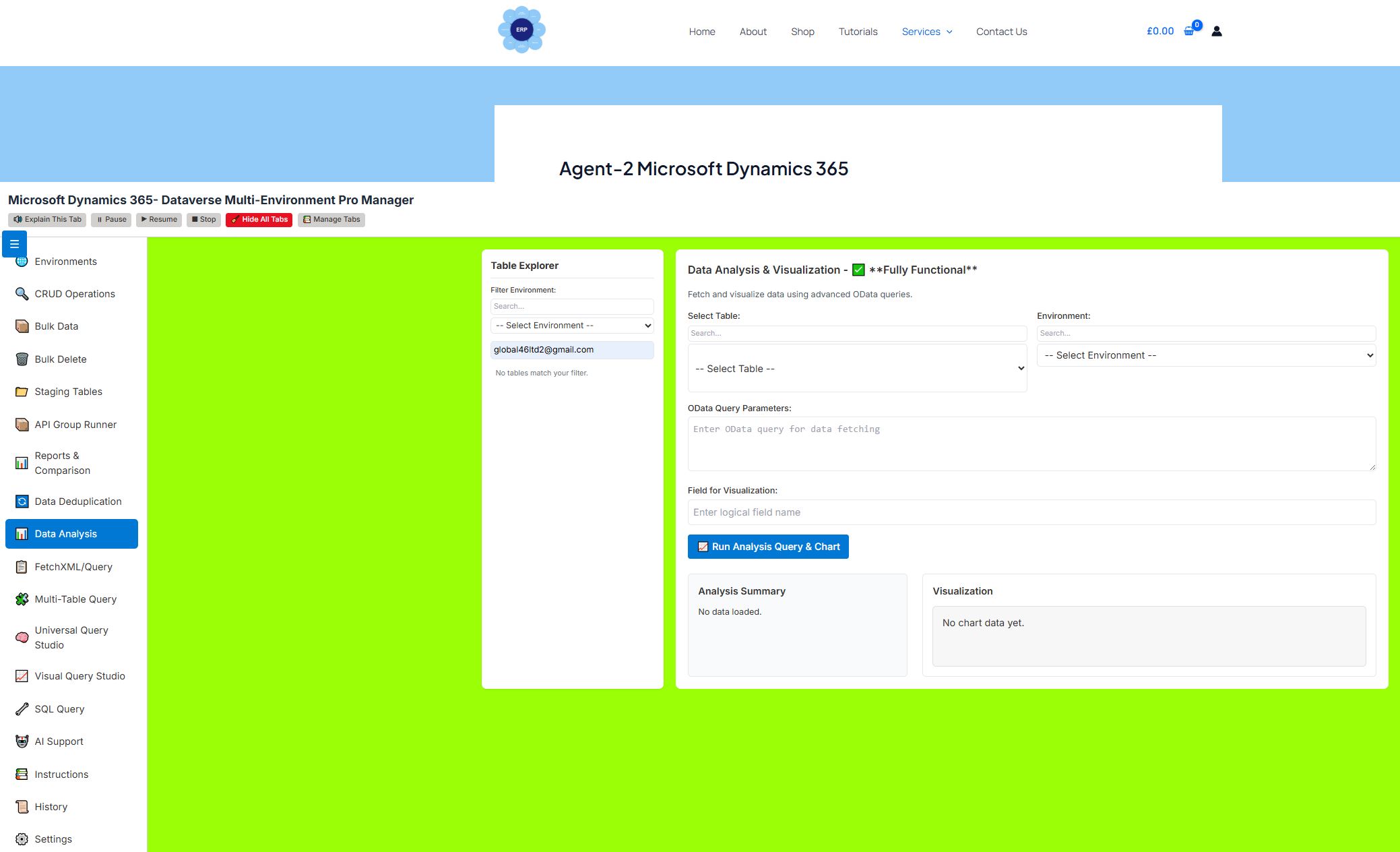
📊 Data Analysis Tab
Purpose: Simple data analysis and visualization.
Features:
-
Run OData queries against selected tables
-
Visualize field distributions with Chart.js
-
View analysis summary (counts, averages, etc.)
-
Export charts and data
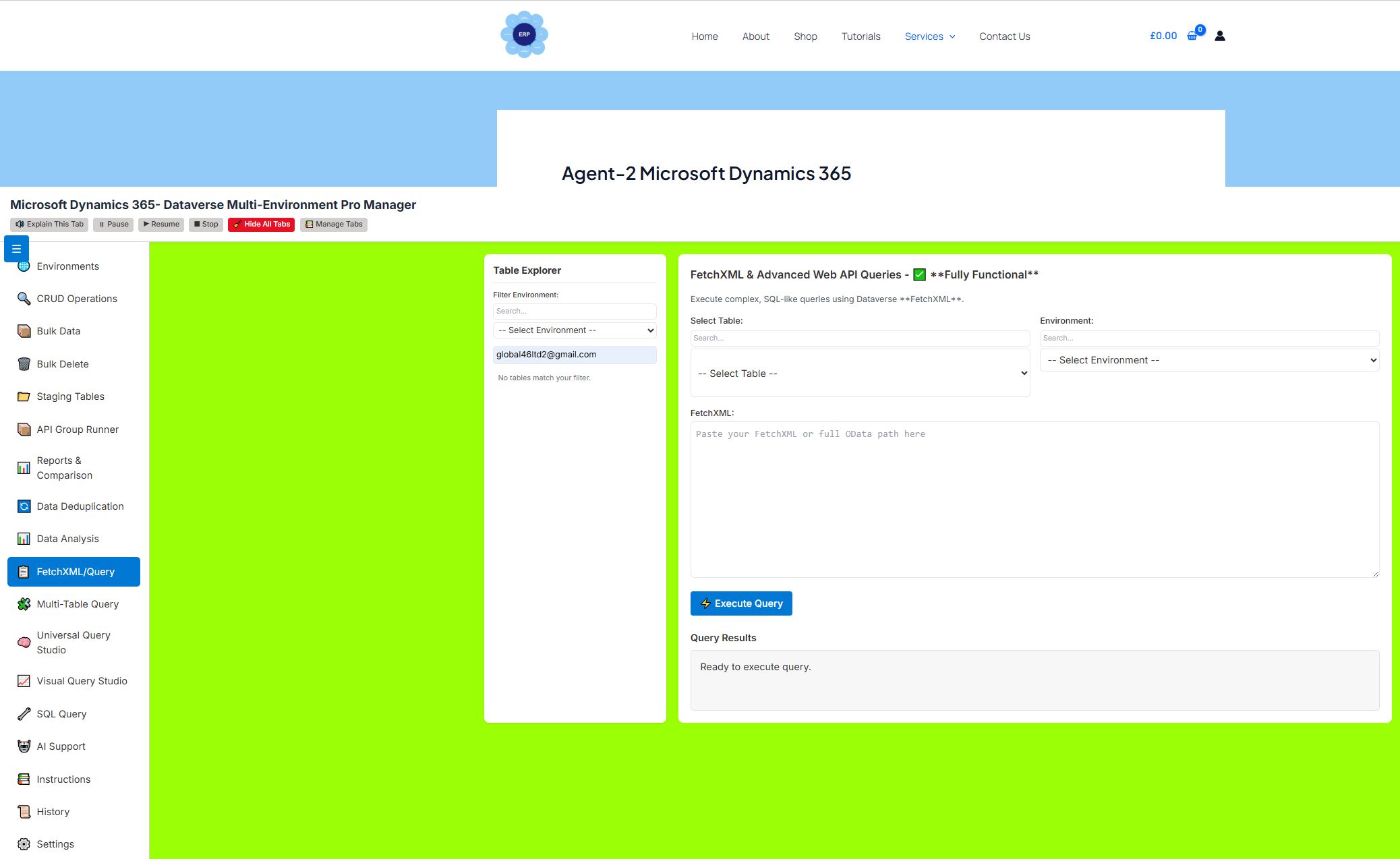
📋 FetchXML/Advanced Query Tab
Purpose: Execute raw FetchXML or OData queries.
Features:
-
Paste FetchXML or full OData paths
-
Run complex joins, filters, and aggregations
-
Results displayed in table format
-
Error handling and syntax validation
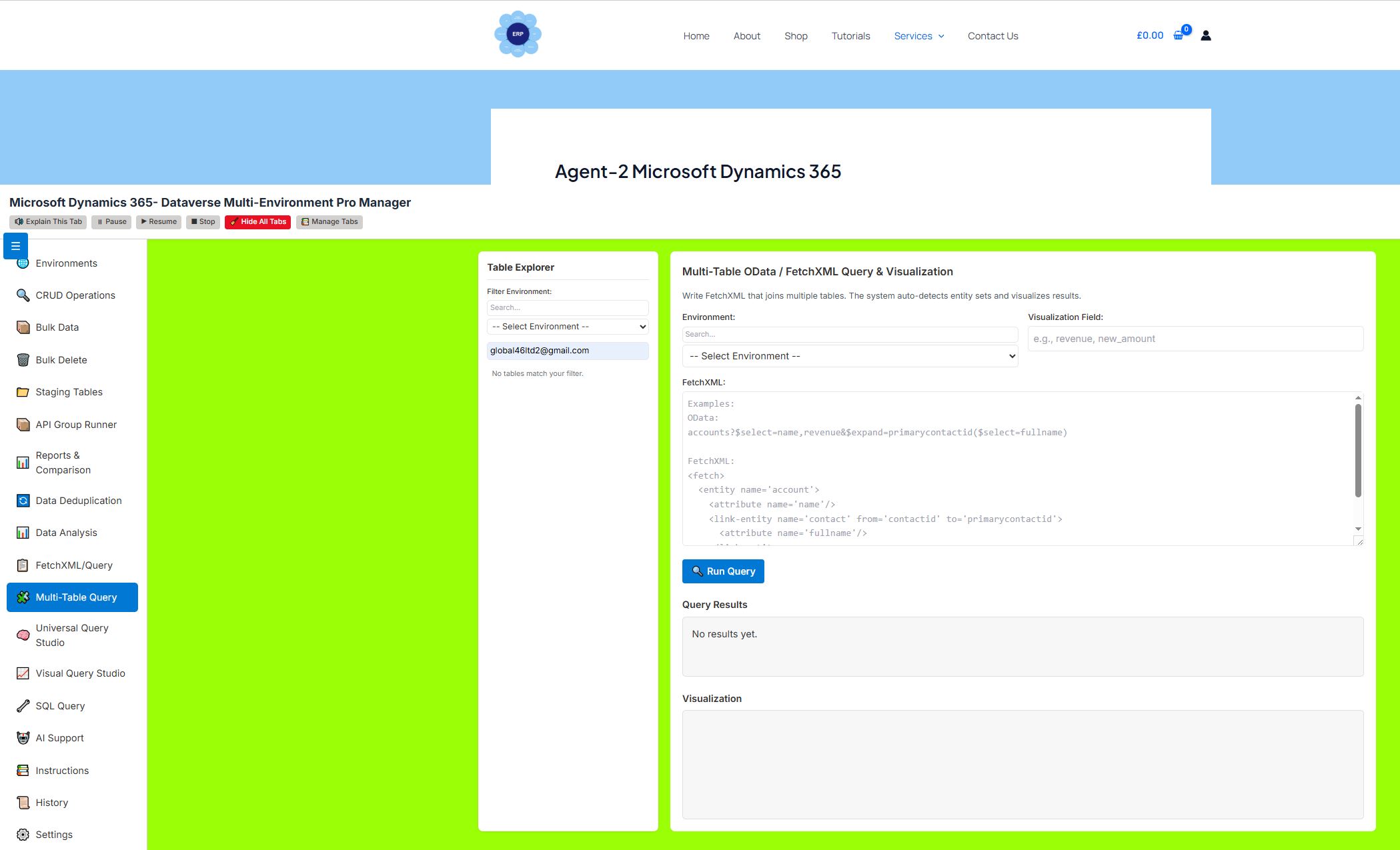
🧩 Multi-Table OData / FetchXML Query & Visualization
Purpose: Write multi-table queries and visualize results.
Features:
-
Write FetchXML with linked entities
-
Auto-detect involved tables
-
Visualize results with Chart.js
-
Optional visualization field (e.g., revenue, count)
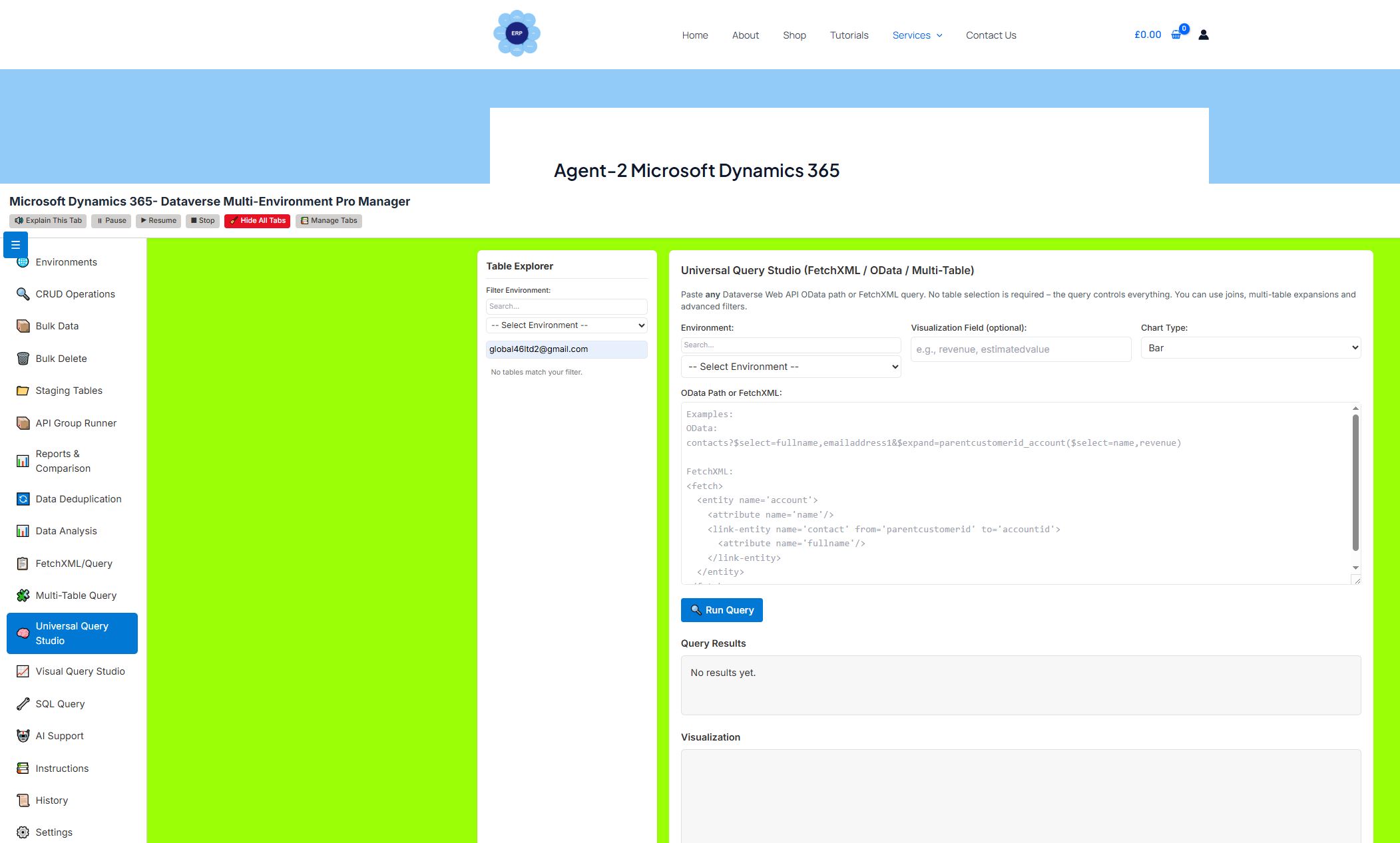
🧠 Universal Query Studio
Purpose: Paste any Dataverse Web API path or FetchXML—no table selection required.
Features:
-
Accepts OData paths and FetchXML
-
Multi-table joins and expansions
-
Chart visualization with customizable chart types
-
Query summary and statistics
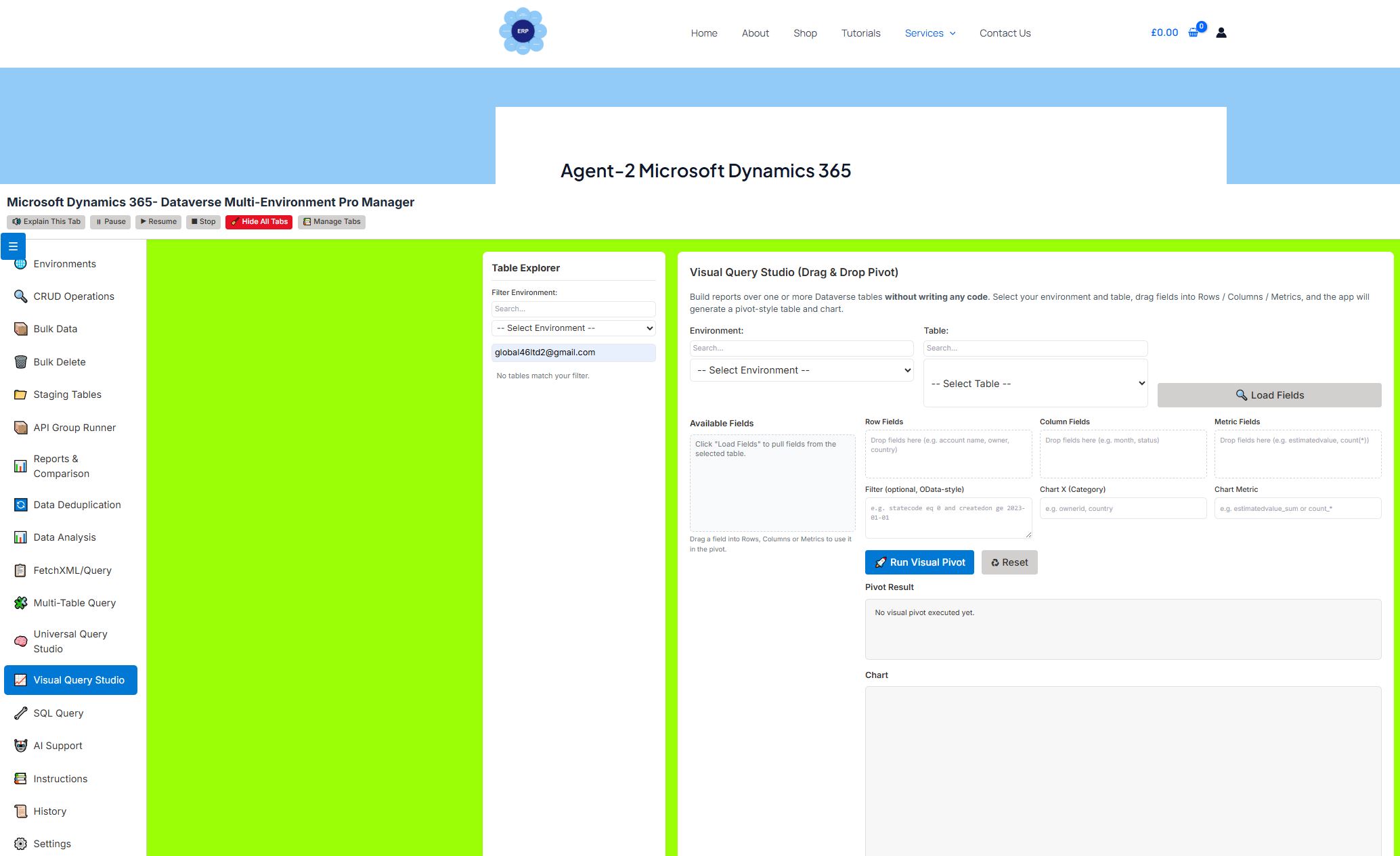
📈 Visual Query Studio (Drag & Drop Pivot)
Purpose: Build queries visually without writing code.
Features:
-
Drag fields into Rows, Columns, Metrics
-
Auto-generate pivot tables and charts
-
Apply OData-style filters
-
Real-time preview of query structure
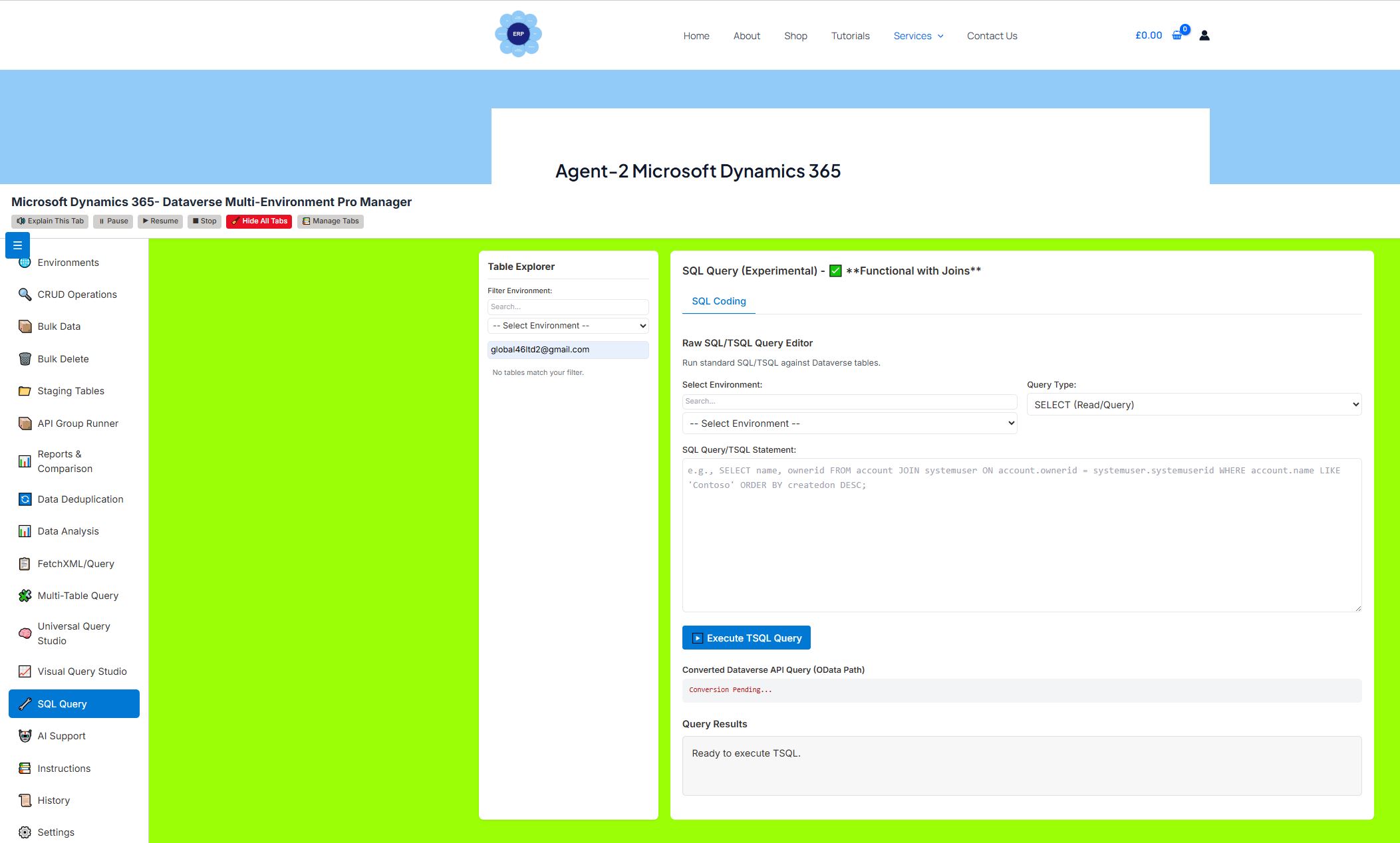
🔧 SQL Query (Experimental)
Purpose: Write SQL-like queries and convert to Dataverse operations.
Features:
-
Type SQL SELECT/INSERT statements
-
Auto-convert to OData/FetchXML
-
Execute converted queries directly
-
View converted API query for learning
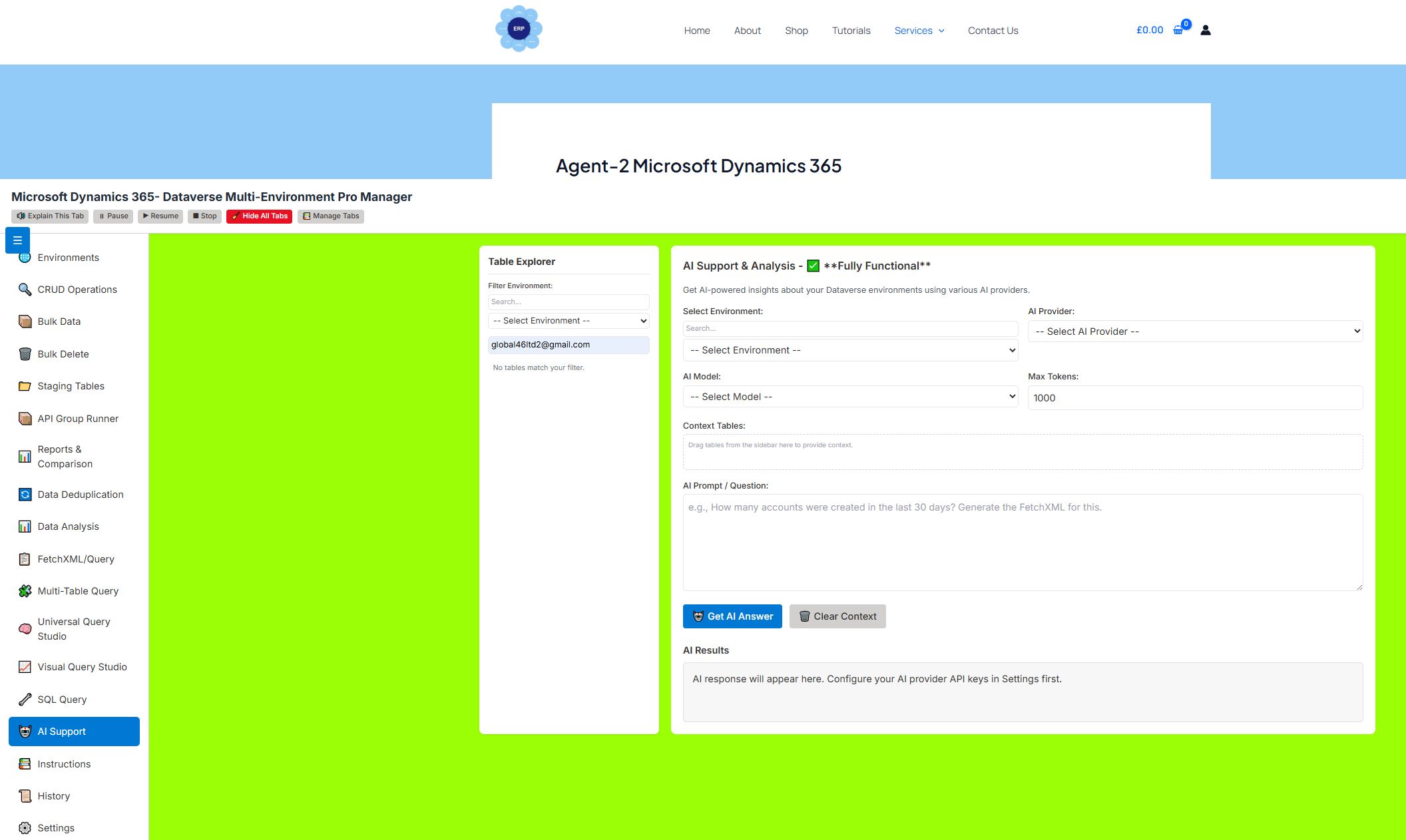
🤖 AI Support Tab
Purpose: Get AI-powered assistance for Dataverse operations.
Features:
-
Multiple AI providers (Gemini, OpenAI, Claude, DeepSeek, Copilot, etc.)
-
Drag tables into context for AI awareness
-
Ask natural language questions (e.g., “Generate FetchXML for last 30 days”)
-
AI generates queries, explanations, and payloads
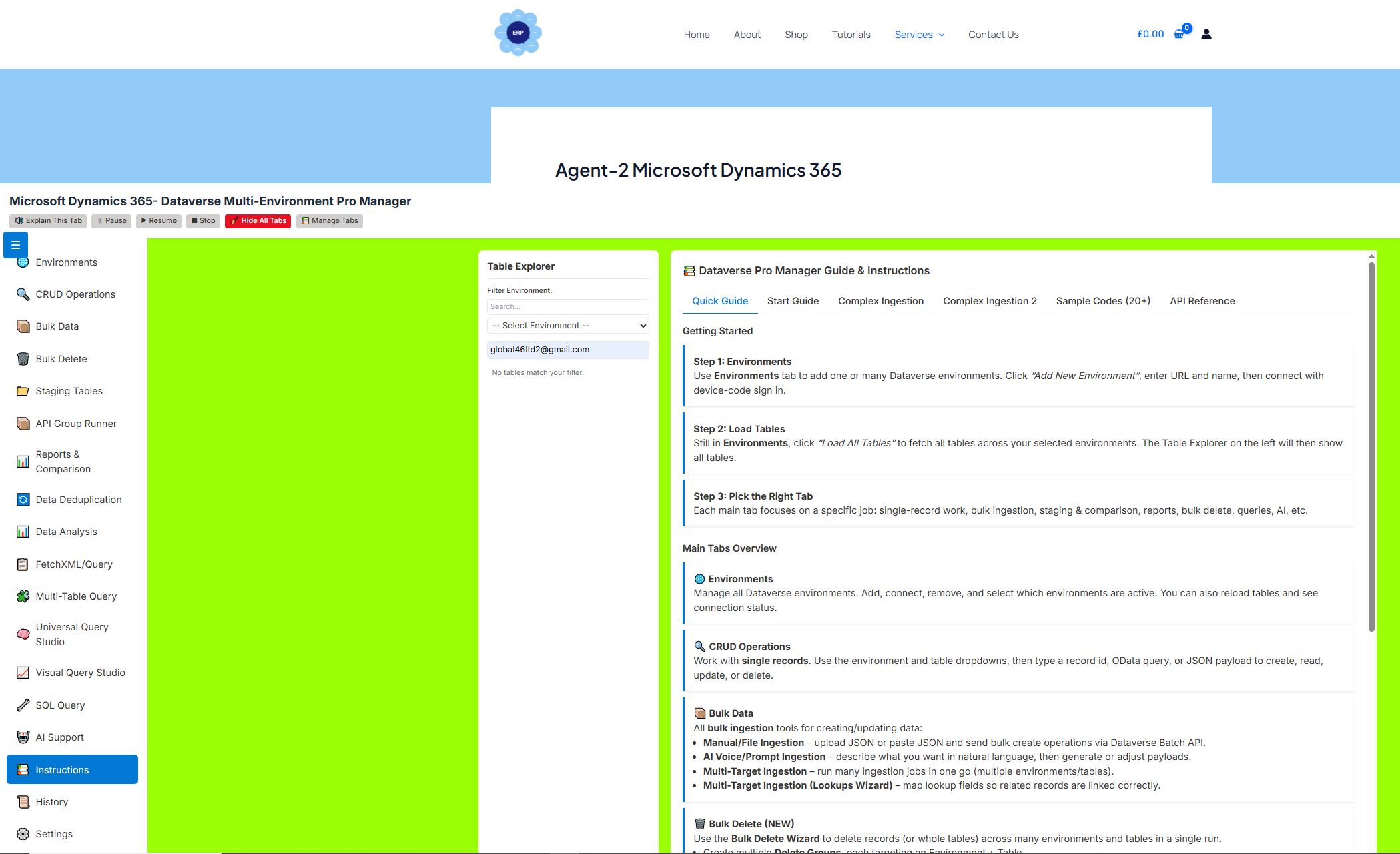
📚 Instructions Tab
Purpose: Comprehensive guide and sample code repository.
Sub-tabs:
1. Quick Guide
-
Overview of all tabs
-
Step-by-step getting started
2. Start Guide
-
Browser setup (CORS disabling)
-
Safety recommendations
-
Authentication steps
3. Complex Ingestion
-
Batch API with relationships
-
Upsert operations
-
Advanced filtering examples
4. Complex Ingestion 2
-
Real-world JSON ingestion workflow
-
Staging → Deduplication → Ingestion walkthrough
5. Sample Codes (20+ Examples)
-
CRUD operations
-
Bulk operations
-
FetchXML & OData queries
-
SQL examples
6. API Reference
-
Dataverse Web API basics
-
Common HTTP methods
-
OData query parameters
-
Error responses
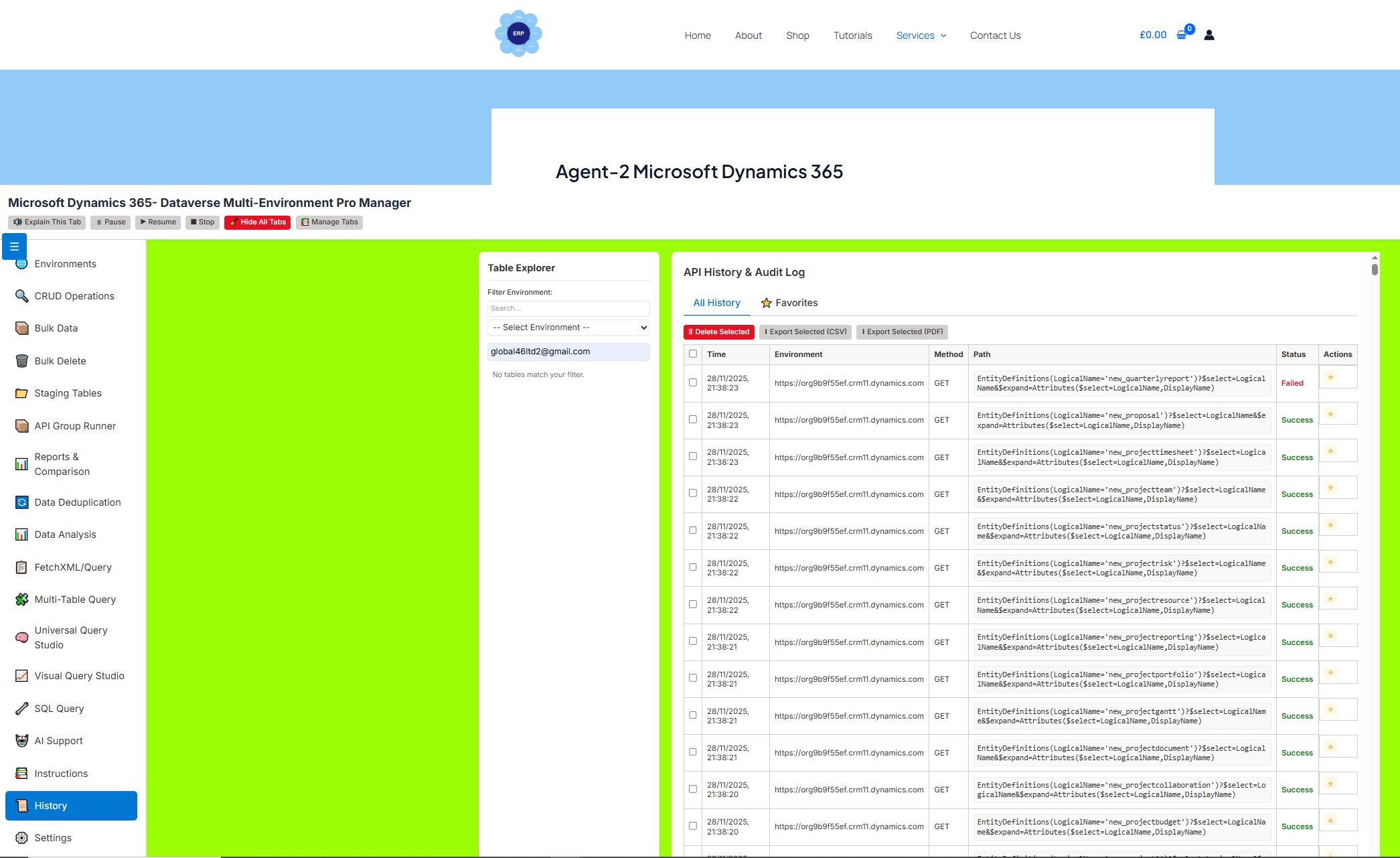
📜 History Tab
Purpose: Audit trail of all API calls.
Features:
-
View all executed operations with timestamps
-
Filter by favorites
-
Toggle favorite status on any entry
-
Export history to CSV/PDF
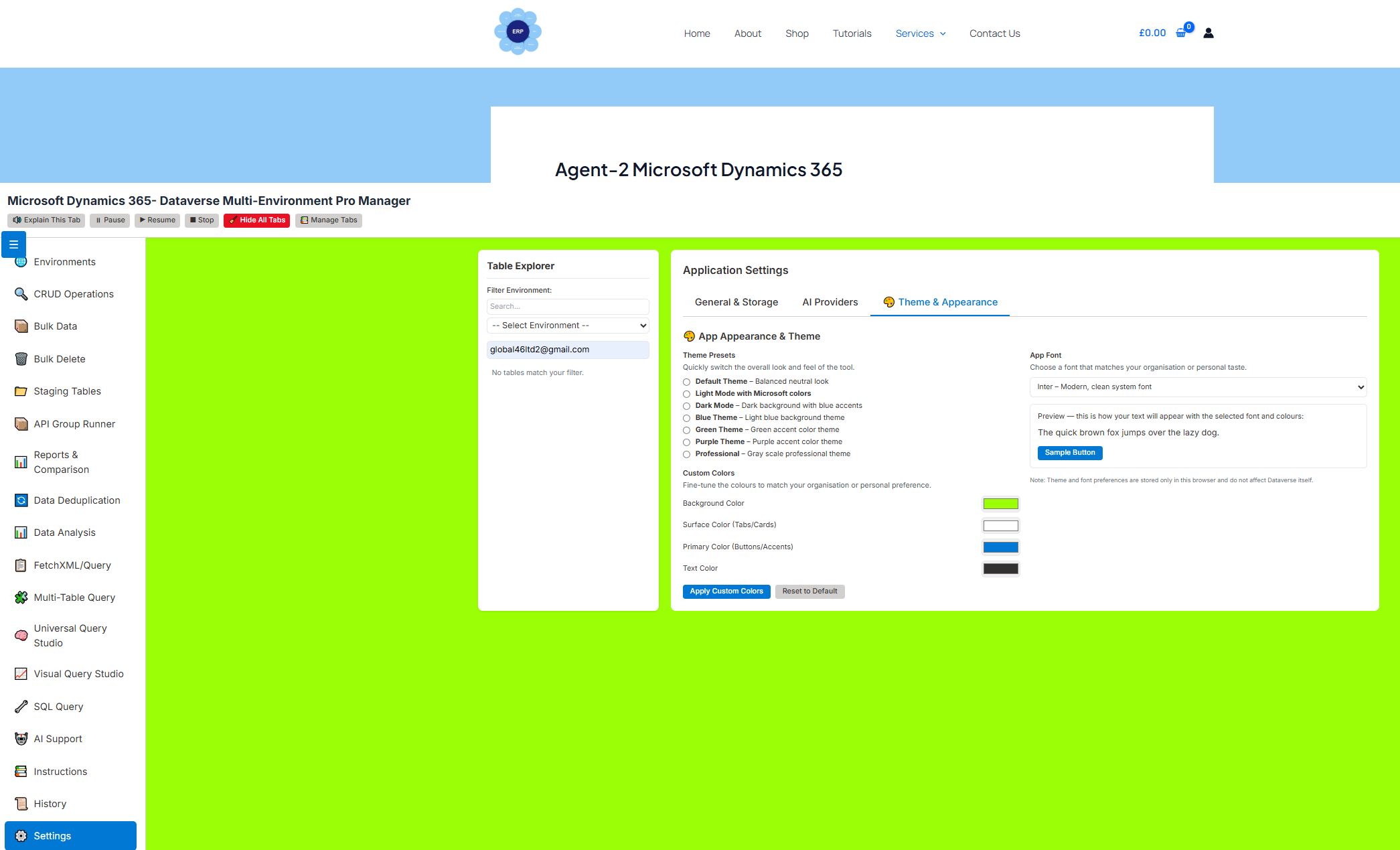
⚙️ Settings Tab
Purpose: Configure app behavior and appearance.
Sub-tabs:
1. General & Storage
-
Clear all local data
-
Reset app to default state
2. AI Providers
-
Configure API keys for multiple AI services
-
Save and manage provider settings
3. Theme & Appearance
-
Choose from preset themes (Light, Dark, Blue, Green, etc.)
-
Customize colors, fonts, and UI elements
-
Live preview of theme changes
🎤 Voice & Accessibility Features
-
Voice Guidance: Audio explanations for each tab
-
Voice Input: Use voice commands in AI and bulk ingestion
-
Explain Tab Button: Hear a spoken description of the current tab
-
Pause/Resume/Stop controls for voice playback
🔒 Usage Window & License Lock
-
App only usable between 1 Nov 2025 – 1 Jun 2026
-
Overlay block if outside date range
-
Security warnings for CORS and browser safety
🧰 Additional Tools & Utilities
-
Tab Manager: Show/hide tabs for different user roles
-
Searchable Dropdowns: Type-ahead search in all selects
-
Drag & Drop: Drag tables/columns into query builders
-
Auto-Sync: Environment and table dropdowns stay in sync
-
Batch Retry Logic: Automatic retry on Dataverse metadata locks
-
Multi-Format File Parser: JSON, CSV, Excel, TXT support
Reviews
There are no reviews yet.